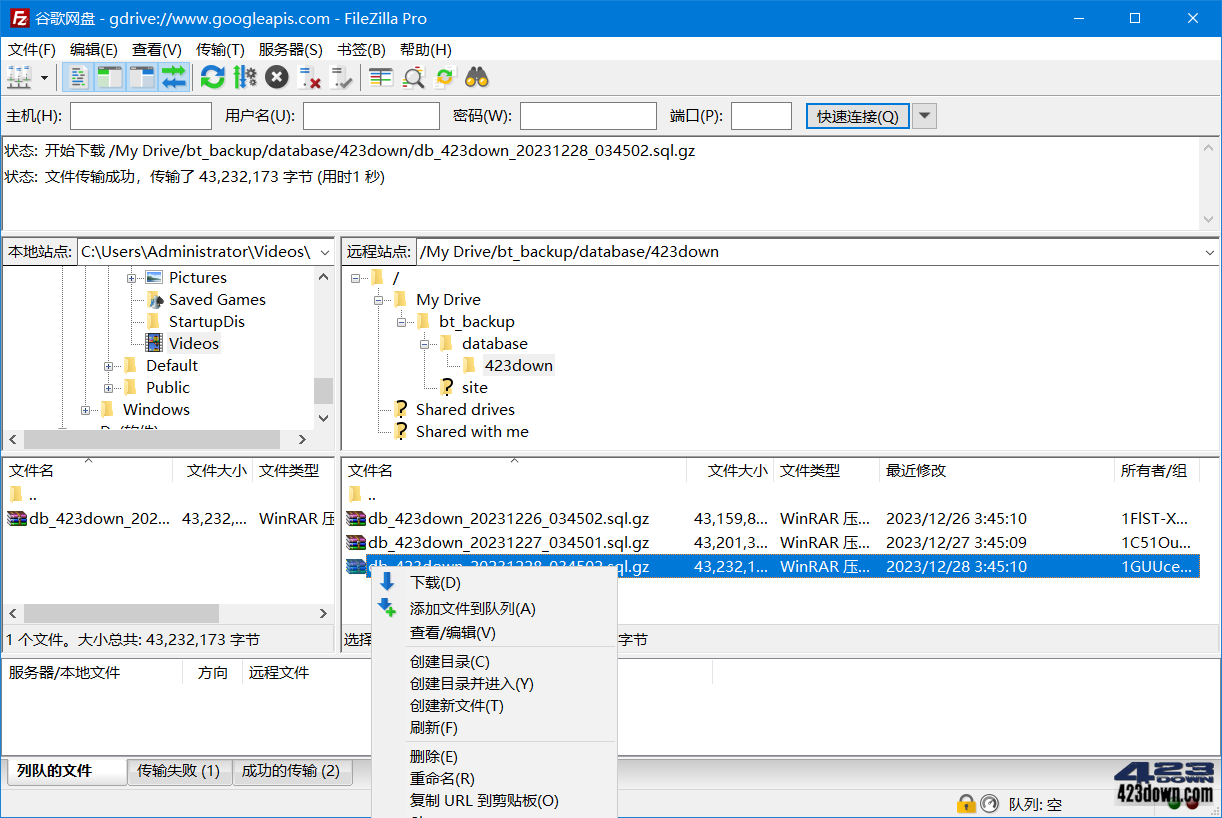
FileZilla工具是一款支持FTP/FTPS/SFTP多协议、断点续传与站点管理器的免费开源FTP客户端软件,FileZilla专业版更额外支持Amazon S3/Google Drive云存储、远程文件编辑及企业级传输队列管理。本站提供最新FileZilla中文版与FileZilla Pro激活版,中文绿色便携版,免安装,不写注册表,下载解压即用。

FileZilla Free v3.70.4 /  PRO v3.70.4 破解版 FileZilla Free v3.70.4 /  PRO v3.70.4 破解版

新版变化

FileZilla - Version history
https://filezilla-project.org/versions.php

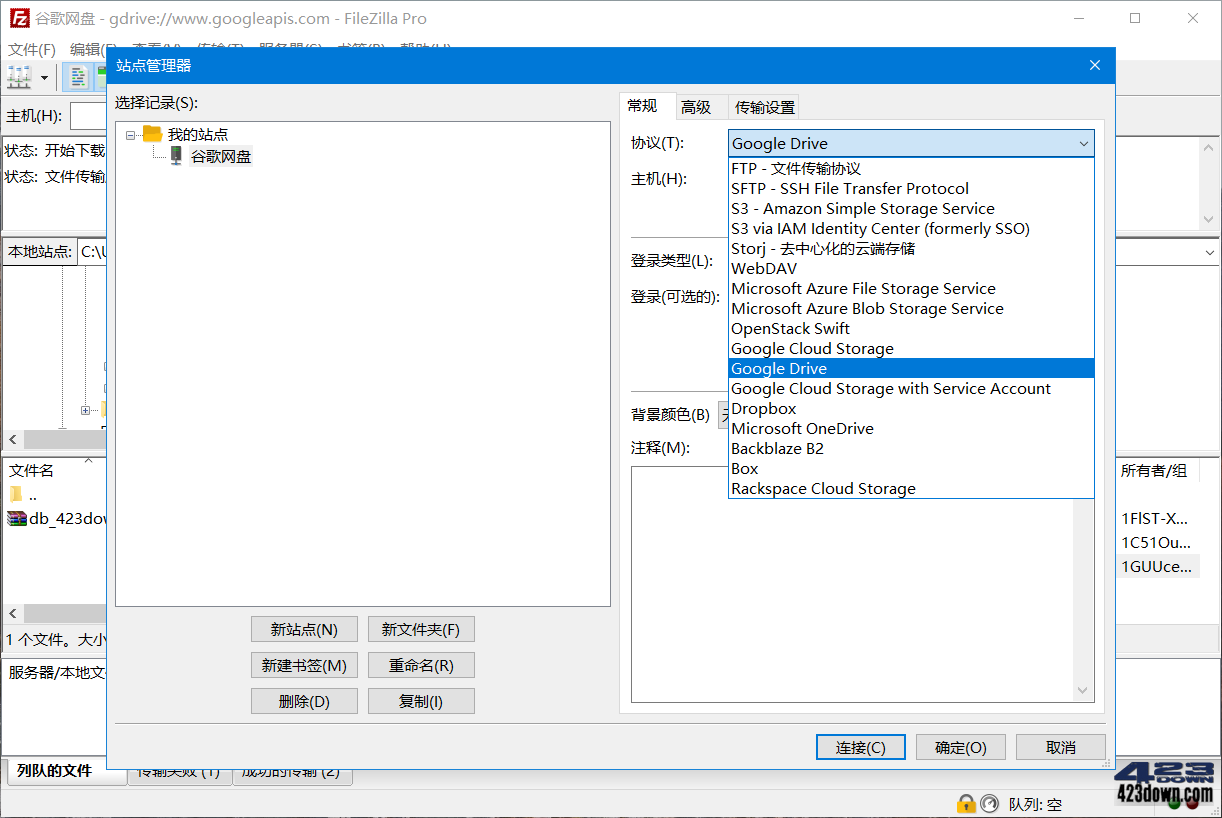
FileZilla专业版支持的云存储协议:
﹂WebDAV (WebDAV协议的网盘)
﹂Microsoft Azure File Storage Service
﹂Microsoft Azure Blob Storage Service
﹂Microsoft OneDrive (微软云盘)
﹂Google Drive (谷歌云盘)
﹂Google Cloud Storage
﹂OpenStack Swift
﹂Dropbox、Box
﹂Backblaze B2
﹂Amazon S3

原版绿色便携式技巧:在根目录新建个编码UTF-8的文件fzdefaults.xml

<?xml version="1.0" encoding="UTF-8" standalone="yes" ?>
<FileZilla3>
 <Settings>
 <!-- Config Location =便携化配置保存当前目录Data(可改任意名称)-->
 <Setting name="Config Location">Data/</Setting> 
 <!-- Kiosk mode =默认0,不保存主机密码改1,不保存设置改2(只读)-->
 <Setting name="Kiosk mode">0</Setting>
 <!-- Disable update check = 关闭检查升级,1-不检查,0-自动升级 -->
 <Setting name="Disable update check">1</Setting>
 </Settings>
</FileZilla3>

下载地址


FileZilla Free v3.70.4 (x64) / FileZilla Pro v3.70.4 (x64) 中文绿色便携版

https://pan.quark.cn/s/433c11d24ef6

https://www.123pan.com/s/A6cA-coAJh

https://423down.lanzouo.com/b0f1q90ah

https://pan.baidu.com/s/1jUDebI9grRa1BUN8Rz6aUQ?pwd=2023


FileZilla 3.70.4 免费版官方正式版所有平台版 (2026/04/16)

https://filezilla-project.org/download.php?show_all=1

FileZilla Pro 3.70.4 Multilingual Win + Crack (2026/04/27)
::专业版比免费版多了支持连接到国外各大网盘云存储协议功能

https://423down.lanzouv.com/iXbe93o5qcef

评论:25

  1. Google Chrome 134.0.0.0 Google Chrome 134.0.0.0 Windows 10 x64 Windows 10 x64

    FileZilla_3.70.0无法连接一些FTP,提示【Invalid character sequence received. Some or all files may not appear in directory listings. If the server you are connecting to does not support UTF-8, select a different character encoding in the Site Manager.】请注意,退回 FileZilla_3.69.6 使用,退回时,还需要删除DATA目录,重新生成。

    yszs 2026-4-10 13:24:42回复
  2. Google Chrome 134.0.0.0 Google Chrome 134.0.0.0 Windows 10 x64 Windows 10 x64

    以前用FileZilla连接服务器都正常,最近突然就连不上服务器了,设置什么的都没有改,用户密码也没有错,换个别的客户端就可以连接了。,重新下载FileZilla客户端后,也是连接不上,不知道什么情况

    asdf 2025-12-31 9:10:48回复
  3. Microsoft Edge 143.0.0.0 Microsoft Edge 143.0.0.0 Windows 11 x64 Windows 11 x64

    老大,更新版本了

    o_o 2025-12-12 22:09:24回复
  4. Google Chrome 109.0.0.0 Google Chrome 109.0.0.0 Windows 10 x64 Windows 10 x64

    FileZilla Pro v3.66.2 x64登录S3就提示注册,FileZilla Pro v3.65.1没这个问题

    jeff 2023-11-6 17:11:48回复
    • Microsoft Edge 119.0.0.0 Microsoft Edge 119.0.0.0 Windows 11 x64 Windows 11 x64

      我也遇到了

      匿名 2023-12-3 13:23:28回复
  5. Google Chrome 95.0.4638.69 Google Chrome 95.0.4638.69 Windows 7 x64 Windows 7 x64

    Server端有没有汉化的啊,老板~

    匿名 2023-7-24 10:02:43回复
  6. Microsoft Edge 98.0.1108.43 Microsoft Edge 98.0.1108.43 Windows 11 x64 Windows 11 x64

    windows本身直接支持ftp,但是有人说大文件传输可能会断,不稳定。我这边用这种方案操作的,1、在命令行状态,输入ftp ip,登录ftp站点,但是这个不用,只是登录,然后最小化,因为命令行操作文件真的很不方便。2、打开资源管理器(又叫文件管理器或者我的电脑),在路径栏输入ftp://ip,登录后可以象操作自己电脑一样复制粘贴。;文件管理器和命令行双登录,可以减少不稳定状况,然后再尝试传输大文件吧。

    o1345 2022-2-15 16:32:24回复
    • Firefox 96.0 Firefox 96.0 Windows 8.1 x64 Windows 8.1 x64

      试了试确实如此 找到不装软件新方法

      veryzhou 2022-2-17 13:08:56回复
    • Google Chrome 134.0.0.0 Google Chrome 134.0.0.0 Windows 10 x64 Windows 10 x64

      不光不稳定,速度还慢

      有识之士 2026-4-10 13:26:54回复
  7. Microsoft Edge 98.0.1108.43 Microsoft Edge 98.0.1108.43 Windows 11 x64 Windows 11 x64

    FileZilla好

    yyyyy 2022-2-12 22:54:51回复
  8. Google Chrome 86.0.4240.198 Google Chrome 86.0.4240.198 Windows 10 x64 Windows 10 x64

    CuteFTP更好用!

    CuteFTP 2022-2-12 14:43:23回复
  9. Microsoft Edge 96.0.1054.62 Microsoft Edge 96.0.1054.62 Windows 11 x64 Windows 11 x64

    3.570便携版,运行后会自动在目录内生成Data文件夹,但是这个文件夹的权限不对,导致一旦系统重装,这个目录就访问不了。进而导致Filezilla运行出错。

    大象 2021-12-22 16:39:01回复
  10. Microsoft Edge 90.0.818.39 Microsoft Edge 90.0.818.39 Windows 10 x64 Windows 10 x64

    建议一并收录 WinSCP, 开源免费,支持FTP、WebDAV、SSH,
    我现在这三种协议都用, 用FlashFXP、FileZilla 都满足不了要求。
    WebDAV 有GO语言实现的chfs 和 https冒号//github.com/hacdias/webdav/releases,代替FTP,单端口太方便了

    zzhome 2021-5-14 17:29:50回复
    • Microsoft Edge 90.0.818.39 Microsoft Edge 90.0.818.39 Windows 10 x64 Windows 10 x64

      还有S3协议,比如 腾讯云的对象云存储COS,就支持S3协议,做个自己的存储网盘用也是不错的

      zzhome 2021-5-15 11:41:48回复
  11. Google Chrome 90.0.4430.41 Google Chrome 90.0.4430.41 Windows 7 x64 Windows 7 x64

    能不能搞个光速搜索 破解版? 去掉广告,可以使用会员特权?

    buyiban540 2021-5-13 11:41:49回复
    • Yandex Browser 21.3.0.673 Yandex Browser 21.3.0.673 Windows 10 x64 Windows 10 x64

      everything不香么

      rd 2021-5-16 17:43:52回复
  12. Google Chrome 90.0.4430.41 Google Chrome 90.0.4430.41 Windows 7 x64 Windows 7 x64

    请问能不能搞个 光速搜索会员版本

    酷夫 2021-5-13 11:40:35回复
  13. Google Chrome 86.0.4240.198 Google Chrome 86.0.4240.198 Windows 10 x64 Windows 10 x64

    文章不错,加个便携启动器,可以用2个文件夹,app和data,可以32位和64共存,通过便携启动器自动识别系统位数

    axcpjn86973 2021-4-10 20:40:19回复
  14. Google Chrome 86.0.4240.198 Google Chrome 86.0.4240.198 Windows 10 x64 Windows 10 x64

    支持,好用的。

    week8 2021-1-12 14:44:43回复
  15. Google Chrome 78.0.3904.108 Google Chrome 78.0.3904.108 Windows 10 x64 Windows 10 x64

    好东东

    xfxnet2000 2020-9-5 10:27:51回复
  16. Google Chrome 86.0.4195.1 Google Chrome 86.0.4195.1 Windows 10 x64 Windows 10 x64

    纯FTP工具的话,还是希望继续更新优化 FlashFXP

    hacks 2020-8-28 21:57:08回复
  17. Google Chrome 84.0.4147.135 Google Chrome 84.0.4147.135 Windows 10 x64 Windows 10 x64

    老铁啥时候能把并发10个的限制去掉呀~

    atukey 2020-8-28 16:05:12回复
  18. Microsoft Edge 83.0.478.37 Microsoft Edge 83.0.478.37 Windows 10 x64 Windows 10 x64

    这个是客户端吧?不是server?

    jelwell 2020-7-16 22:24:37回复
    • Google Chrome 83.0.4103.106 Google Chrome 83.0.4103.106 Windows 10 x64 Windows 10 x64

      server不区分pro版本吧

      q404023244 2020-7-17 0:31:02回复
  19. Google Chrome 78.0.3904.108 Google Chrome 78.0.3904.108 Windows 10 x64 Windows 10 x64

    好东西!

    shiran00 2020-7-16 9:33:35回复

评论反馈