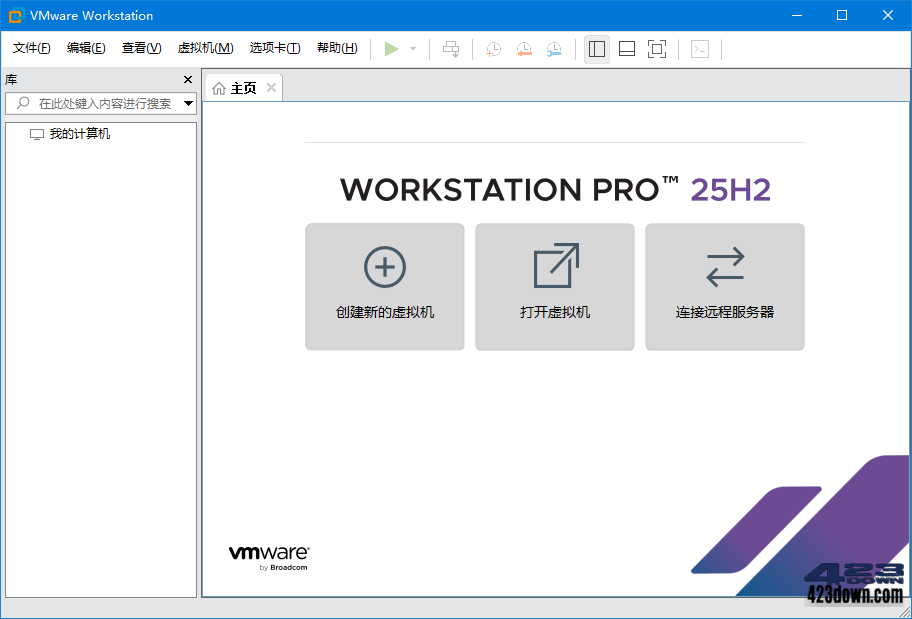
VMware Workstation中文版是一款功能强大的VMware虚拟机软件.最新VMware精简版集成许可密钥免激活,最大特色是已解锁支持安装MAC OS X客户操作系统,添加了微软MSDM,DELL SLIC的BLOS支持,号称世界史上第一位解决,VMware中文注册精简版相比原版体积小,功能实用性较强,安装方便深受部分用户喜爱.

VMware Workstation v25H2u1中文精简版VMware Workstation v25H2u1中文精简版

特点描述

by cuiplay

• 精简列表:
- VMware Tray(托盘程序)
- VMware VIX(导出OVF支持)
- Visual Studio(微软VS工具集)
- VirtualPrinter(虚拟打印机驱动)
- VC Runtimes Redist(VC++运行库)
- 除英文、中文外的其它多国语言包文件
- 除Windows外其它VMware Tools ISO

• 主要特色:
- 修改添加 APPLE OSK,可以安装 MAC OS X(无需再使用Unlocker MacOS 解锁补丁)
- 修改添加 DELL SLIC 2.7 (17.6.0开始) + MSDM + SLP + Virtual PC XP
- 直接在安装程序中集成CDK,调整安装UI,安装好即注册!

# BIOS 支持OEM激活 XP/7/Vista/Server 2003R2/2008R2,2012R2,2016,2019,2022,2025 (17.6.0开始)
# EFI BIOS支持OEM激活 Vista/Server 2008/2008R2, 2012,2012R2,2016,2019,2022,2025(17.6.0开始)
# VISTA~2025对安装盘无要求,导入OEM证书和系统版本对应的OEM-CDK即可激活(证书网盘已提供)

# 已解除OSX Server安装限制,编辑虚拟机设置 -> 选项 -> 高级 -> 勾选“通过 EFI 而非 BIOS 引导”

• 如何安装VM MacOS 客户机?
::官方版不支持安装,此精简版已解除限制,具体使用步骤:
1.新建虚拟机 -> 硬件兼容性选VM10.x -> Apple Mac OS X
2.新建好虚拟机后,找到你新建的镜像名称文件“名称.vmx"
3.然后添加1行参数保存启动虚拟机即可:smc.version = "0"

系统要求

VM16:硬件要求高,Windows 10 或更高版64位
VM15:硬件要求中,Windows 7 或更高版64位
VM12:硬件要求低,Windows 7 或更高版64位
VM10:Windows XP 或更高版32位和64位旧版
注意:VM14版本开始不支持某些旧的电脑硬件,
会提示不支持或安装失败, 如遇到请退回12版本。

安装后运行提示内存不能为read, 则需装运行库。

下载地址

VMware Workstation Pro 精简安装注册版所有版 (含旧绿色精简版)
├—VMware Workstation Pro 25H2u1-25219725 中文精简安装版
├—VMware Workstation Pro 17.6.4-24583834 中文精简安装版
├—VMware Workstation Pro 16.2.5-20904516 中文精简安装注册版
├—VMware Workstation Pro 15.5.7-17171714 中文精简安装注册版
├—VMware Workstation Pro 12.5.9-7535481 中文精简安装注册版
├—VMware Workstation v10.0.7-2844087 中文精简安装注册版

https://www.123pan.com/s/A6cA-8sHJh

https://423down.lanzouo.com/b0f2z2b9a

https://pan.baidu.com/s/19sbM5TNCE7AzOveTI0HTxw?pwd=2023

评论:32

  1. Microsoft Edge 145.0.0.0 Microsoft Edge 145.0.0.0 Windows 11 x64 Windows 11 x64

    安装VMware Workstation v25H2u1中文精简版后,
    火绒提示操作进程命令行:C:\WINDOWS\SysWOW64\vmnat.exe
    访问网址:auto.c3pool.org
    风险分类:木马盗号

    ainifening 2026-3-3 10:29:24回复
    • Google Chrome 145.0.0.0 Google Chrome 145.0.0.0 Windows 10 x64 Windows 10 x64

      这个是挖矿木马

      Guest 2026-3-19 8:47:46回复
  2. Google Chrome 145.0.7632.79 Google Chrome 145.0.7632.79 Android 15 Android 15

    提示“你的系统不支持此安装程序包所用的语言”的,在以下链接下载v2版
    123pan点com/s/AotA-2Ehod?pwd=UPyE

    DJ_SuperWang2023 2026-2-28 7:48:25回复
  3. Microsoft Edge 145.0.0.0 Microsoft Edge 145.0.0.0 Windows 11 x64 Windows 11 x64

    如遇安装提示 “你的系统不支持此安装程序包所用的语言“ 可以下载带”临时修复“字样的安装包进行安装使用

    匿名 2026-2-28 2:07:05回复
  4. Microsoft Edge 145.0.0.0 Microsoft Edge 145.0.0.0 Windows 11 x64 Windows 11 x64

    运行安装程序报错,"你的系统不支持此安装程序包所用的语言"。我系统就是普通的中午Win11

    小网管 2026-2-27 18:55:19回复
    • Microsoft Edge 145.0.0.0 Microsoft Edge 145.0.0.0 Windows 11 x64 Windows 11 x64

      如遇安装提示 “你的系统不支持此安装程序包所用的语言“ 可以下载带”临时修复“字样的安装包进行安装使用

      匿名 2026-2-28 2:05:46回复
    • Google Chrome 132.0.0.0 Google Chrome 132.0.0.0 Windows 10 x64 Windows 10 x64

      因此为了,博通删除中文语言,所有以此,提出指示,告诉安装程序,无法运行中文语言Windows OS(操作系统)

      hijjlhij 2026-2-28 6:13:36回复
  5. Google Chrome 134.0.0.0 Google Chrome 134.0.0.0 Windows 10 x64 Windows 10 x64

    25H2u1简中精简版安装提示:“你的系统不支持此安装程序包所用的语言”

    qwer 2026-2-27 16:55:40回复
    • Google Chrome 132.0.0.0 Google Chrome 132.0.0.0 Windows 10 x64 Windows 10 x64

      博通删除中文语言导致滴

      hijjlhij 2026-2-28 6:14:12回复
  6. Google Chrome 140.0.0.0 Google Chrome 140.0.0.0 Windows 10 x64 Windows 10 x64

    win11安装提示不支持该程序安装包的语言,有遇到的吗,怎么解决

    匿名 2026-2-27 16:08:12回复
    • Google Chrome 132.0.0.0 Google Chrome 132.0.0.0 Windows 10 x64 Windows 10 x64

      解释决定办法,安装博通 VMware Workstation Pro版本

      hijjlhij 2026-2-28 6:15:30回复
  7. Microsoft Edge 145.0.0.0 Microsoft Edge 145.0.0.0 Windows 11 x64 Windows 11 x64

    你的系统不支持此安装包所用的语言
    安装不了

    匿名 2026-2-27 15:52:18回复
    • Google Chrome 132.0.0.0 Google Chrome 132.0.0.0 Windows 10 x64 Windows 10 x64

      精简存在一些问题,正常,我使用博通VMware Workstation Pro,没有安装问题,虽然只是显示英语语言

      hijjlhij 2026-2-28 6:16:23回复
  8. Microsoft Edge 145.0.0.0 Microsoft Edge 145.0.0.0 Windows 11 x64 Windows 11 x64

    25H2u1安装包有问题,提示:你的系统不支持此安装程序包所用的语言,也测试安装了前面25H2没有问题。

    ktmgfh 2026-2-27 15:52:15回复
    • Google Chrome 132.0.0.0 Google Chrome 132.0.0.0 Windows 10 x64 Windows 10 x64

      安装博通VMware Workstation Pro,没有问题

      hijjlhij 2026-2-28 6:16:45回复
  9. Google Chrome 132.0.0.0 Google Chrome 132.0.0.0 Windows 10 x64 Windows 10 x64

    你的系统不支持安装程序包所用的语言,根本安装不了。我系统是WIN11_LTSC2024

    久居深海 2026-2-27 15:31:33回复
    • Google Chrome 132.0.0.0 Google Chrome 132.0.0.0 Windows 10 x64 Windows 10 x64

      博通VMware Workstation Pro,没有任何问题

      hijjlhij 2026-2-28 6:17:05回复
  10. Microsoft Edge 141.0.0.0 Microsoft Edge 141.0.0.0 Windows 11 x64 Windows 11 x64

    VMware Workstation 不可恢复错误: (svga) Third party host clock rate has...
    这个版本不支持3060了吗?开不了3D加速,之前版本一直能开3d加速

    richT 2025-10-20 22:03:38回复
  11. Google Chrome 132.0.0.0 Google Chrome 132.0.0.0 Windows 10 x64 Windows 10 x64

    站长,25H2中文注册精简版覆盖安装原版,还是显示英文,怎么调整啊

    cherishaut 2025-10-20 16:54:06回复
    • Google Chrome 141.0.0.0 Google Chrome 141.0.0.0 Windows 10 x64 Windows 10 x64

      找到vm17的安装文件目录下的message文件夹,将里边的zh-cn文件夹拷贝到vm25H2的message目录里,然后在vmware的快捷方式属性的目标栏里加上“ --locale zh_CN”(不含引号,注意前边有个空格)。再双击快捷方式启动vmware25h2就是中文了

      w2861 2025-10-20 23:01:44回复
      • Google Chrome 132.0.0.0 Google Chrome 132.0.0.0 Windows 10 x64 Windows 10 x64

        感谢指导!另外我发现完全卸载后,再安装此中文注册精简版后直接显示简体中文,message文件夹下确实有zh-CN文件夹,但桌面快捷方式目标并没有“ --locale zh_CN”,站长修改的非常好

        cherishaut 2025-10-21 15:47:59回复
  12. Google Chrome 95.0.4638.69 Google Chrome 95.0.4638.69 Windows 10 x64 Windows 10 x64

    把VIX都精简掉了,直接导致vmrun命令行的方式无法启动虚拟机,本来做个批处理就可以开机启动或者关机挂起,现在不行了

    saikm 2023-1-28 21:35:02回复
  13. Microsoft Edge 109.0.1518.61 Microsoft Edge 109.0.1518.61 Windows 11 x64 Windows 11 x64

    写了一个按数字2,可关闭服务的bat,其他按键是打开,方便大家
    @echo off
    @title VM-SC-Switch
    echo [Press 2 To Close,Other Key To Opne.]
    Set /p Sun="Please Enter A Key:"
    Cls
    If %Sun% == 2 goto close
    sc start VMAuthdService
    sc start VMnetDHCP
    sc start "VMware NAT Service"
    netsh interface set interface "VMware Network Adapter VMnet1" admin=enabled
    netsh interface set interface "VMware Network Adapter VMnet8" admin=enabled
    start vmware
    goto End
    :close
    sc config VMAuthdService start= demand >nul
    sc stop VMAuthdService >nul
    sc config VMnetDHCP start= demand >nul
    sc stop VMnetDHCP >nul
    sc config "VMware NAT Service" start= demand >nul
    sc stop "VMware NAT Service" >nul
    netsh interface set interface "VMware Network Adapter VMnet1" admin=disabled
    netsh interface set interface "VMware Network Adapter VMnet8" admin=disabled
    )
    :End
    echo Done!
    ping -n 5 127.1>nul

    沫沫 2023-1-27 11:12:07回复
    • Google Chrome 110.0.0.0 Google Chrome 110.0.0.0 Windows 10 x64 Windows 10 x64

      感谢分享

      匿名 2023-3-16 17:08:21回复
  14. Google Chrome 102.0.0.0 Google Chrome 102.0.0.0 Windows 10 x64 Windows 10 x64

    为什么最近都不再出绿色版本了呢

    匿名 2022-12-17 19:20:47回复
  15. Google Chrome 86.0.4240.198 Google Chrome 86.0.4240.198 Windows 10 x64 Windows 10 x64

    为什么发老版呢?是新版不支持老系统吗?

    山上石 2022-12-16 18:36:24回复
    • Microsoft Edge 108.0.1462.46 Microsoft Edge 108.0.1462.46 Windows 11 x64 Windows 11 x64

      2022年12月14号刚出的老版,已经2202年了吗?

      yhuacn 2022-12-16 20:17:11回复
    • Google Chrome 108.0.0.0 Google Chrome 108.0.0.0 Windows 10 x64 Windows 10 x64

      这个也是近期出的16新版

      xell 2022-12-16 21:16:31回复
    • MIUI Browser 17.2.52 MIUI Browser 17.2.52 Motorola Motorola

      厂商虽然发布了17新版本,但是16旧版本也是依旧在维护的。

      albert 2022-12-16 23:37:46回复
    • Google Chrome 99.0.5359.108 Google Chrome 99.0.5359.108 Windows 10 x64 Windows 10 x64

      这只是官方对老版本的维护更新。
      好比win11出来之后,win10依然会有系统更新一样。

      loomee 2022-12-17 8:35:50回复
    • Google Chrome 99.0.5359.108 Google Chrome 99.0.5359.108 Windows 10 x64 Windows 10 x64

      这就好比win11出来之后,之前的win10依然会有系统更新一样。

      loomee 2022-12-17 8:38:04回复
    • Microsoft Edge 108.0.1462.46 Microsoft Edge 108.0.1462.46 Windows 11 x64 Windows 11 x64

      这就好比win11出来之后,之前的win10依然会有系统更新一样。

      loomee 2022-12-17 8:39:43回复

评论反馈